
School trip management software
School trips, made simple.
Plan and manage every educational visit from the Trip Manager web platform — track consent, payments and school reports in one place. Parents follow their child’s visits in the iOS app; staff take registers and access downloaded trip information away from school.
Book a walkthrough of the browser platform, companion iOS app, approval workflow, parent consent and MIS-connected trip information. Choose a suitable time using Microsoft Bookings.
- A complete browser platform for planning, approvals, consent, payment tracking and reports
- MIS-connected pupil, staff and group data through Wonde
- Companion iOS app for parents following visits and staff running them

Approvals at a glanceSee which visits need a decision and move straight into the school’s approval workflow.
- Approvals: see visits needing a decision.
- Upcoming trips: review dates, staffing and consent progress.
- Consent: surface outstanding responses early.
What it is
What is Trip Manager?
Trip Manager by Education Host is school trip management software for UK schools. It brings educational-visit planning, approvals, parent consent, pupil and staff information, registers and communications into one browser-based platform, with school reports, payment tracking and a companion iOS app for parents and staff.
One browser platform
Planning, approvals, consent and registers in one trip record, in any modern browser.
Digital parent consent
Information and consent requests sent, tracked and answered online.
MIS-connected data
Supported pupil, staff and group data through Wonde.
Companion iOS app
The trip record on the device already in your pocket.
Web platform and iOS app
Is Trip Manager a web platform or a mobile app?
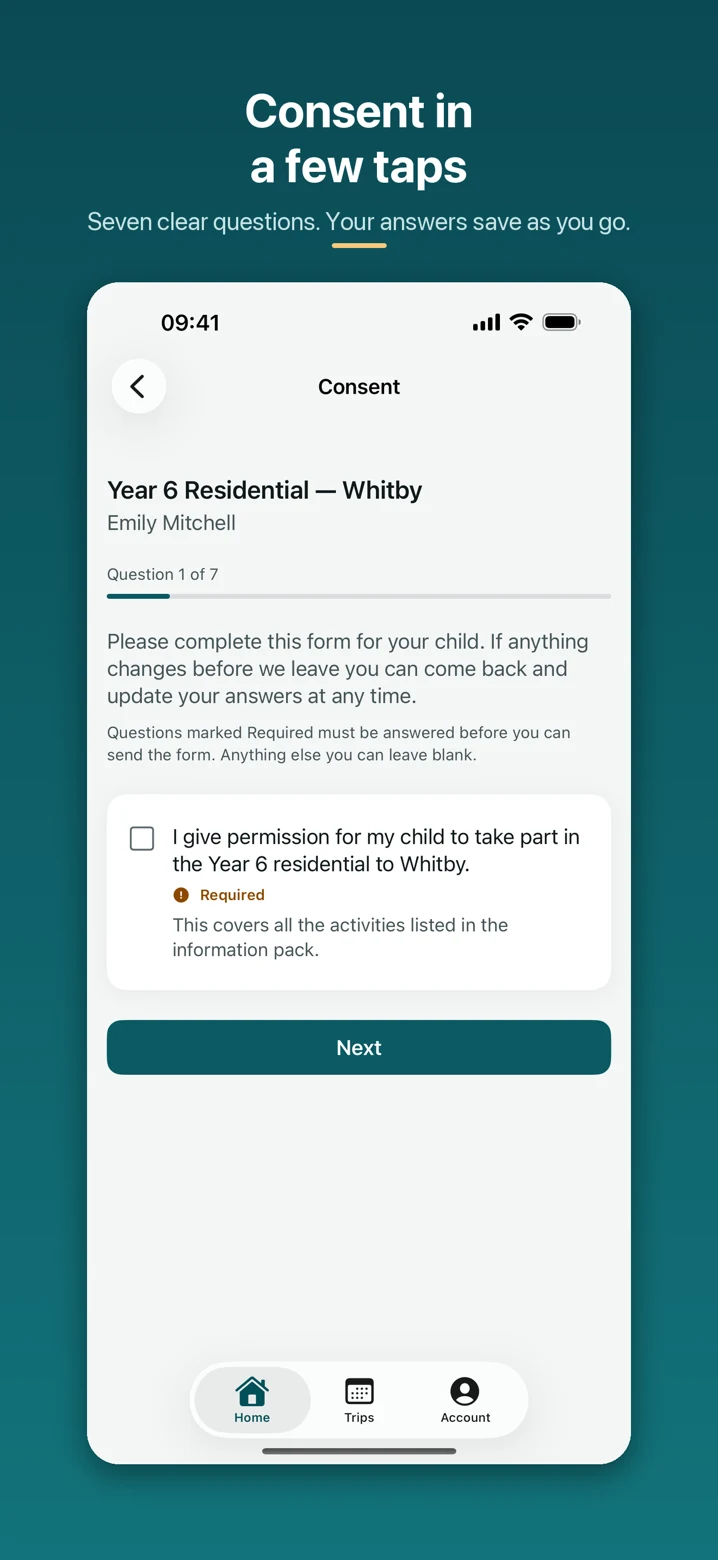
Trip Manager has a browser-based school platform and a companion iOS app for parents and staff. Schools plan and approve visits, manage consent and payment records, and review reports on the web. Parents use the app to review their children’s trips, give consent, read updates, view shared photos and message the trip team. Assigned staff use it for registers and trip information on the day.
Main interface
The Trip Manager web platform
Used in a browser by Educational Visits Coordinators, senior leaders, administrators and trip leaders to:
- Create and plan educational visits
- Select the pupils, groups and staff attending
- Move visits through the school’s approval process
- Send, collect and monitor parent consent
- Keep trip documents, information and records together
- Oversee upcoming and active visits across the school
Companion
The companion iOS app
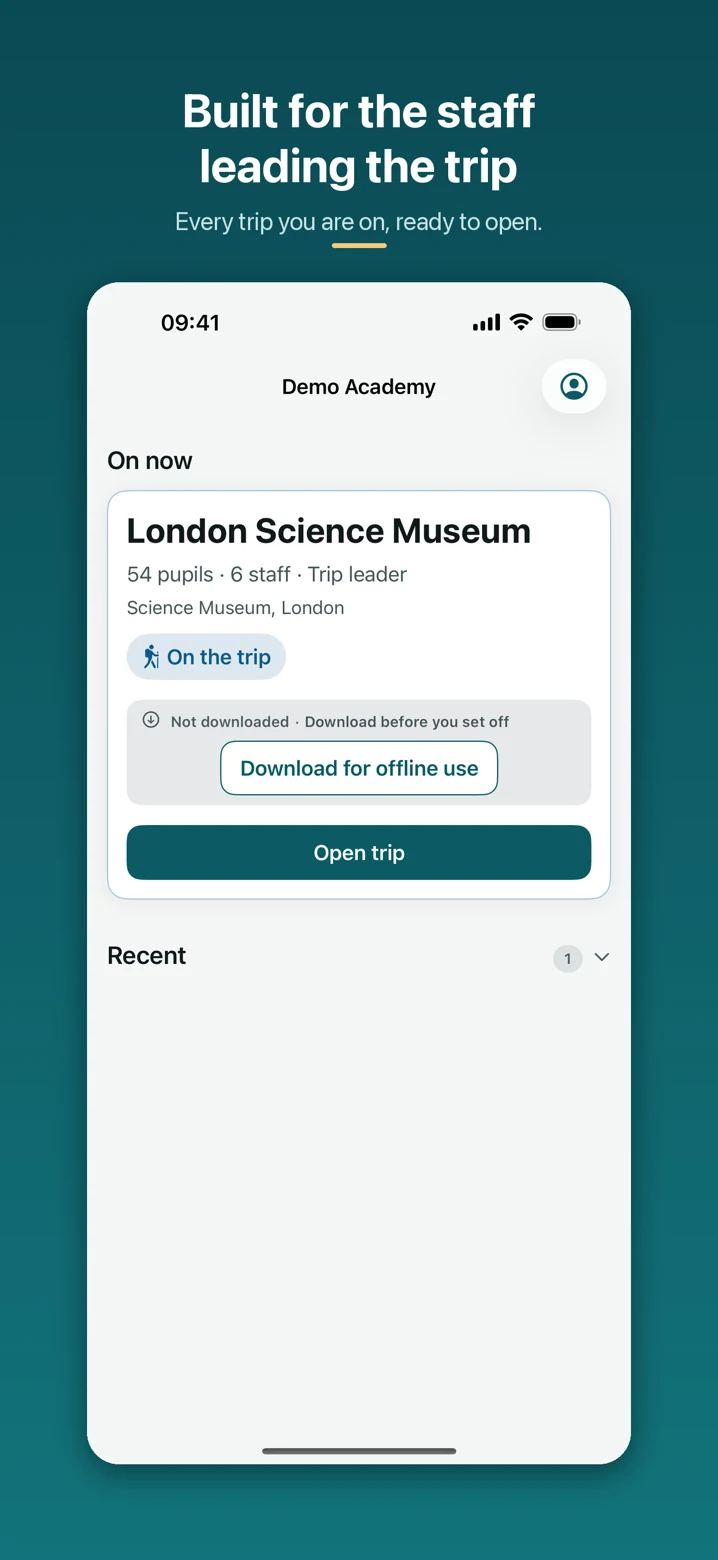
Parents follow their children’s visits, respond to consent requests and message the trip team. Assigned staff access their visits, pupil lists and registers, with downloaded trip information available offline.
- The trip overview for each visit they are on
- The pupil list for the visit
- Registers for taking and checking attendance
- Key trip information and updates
- Secure photo access
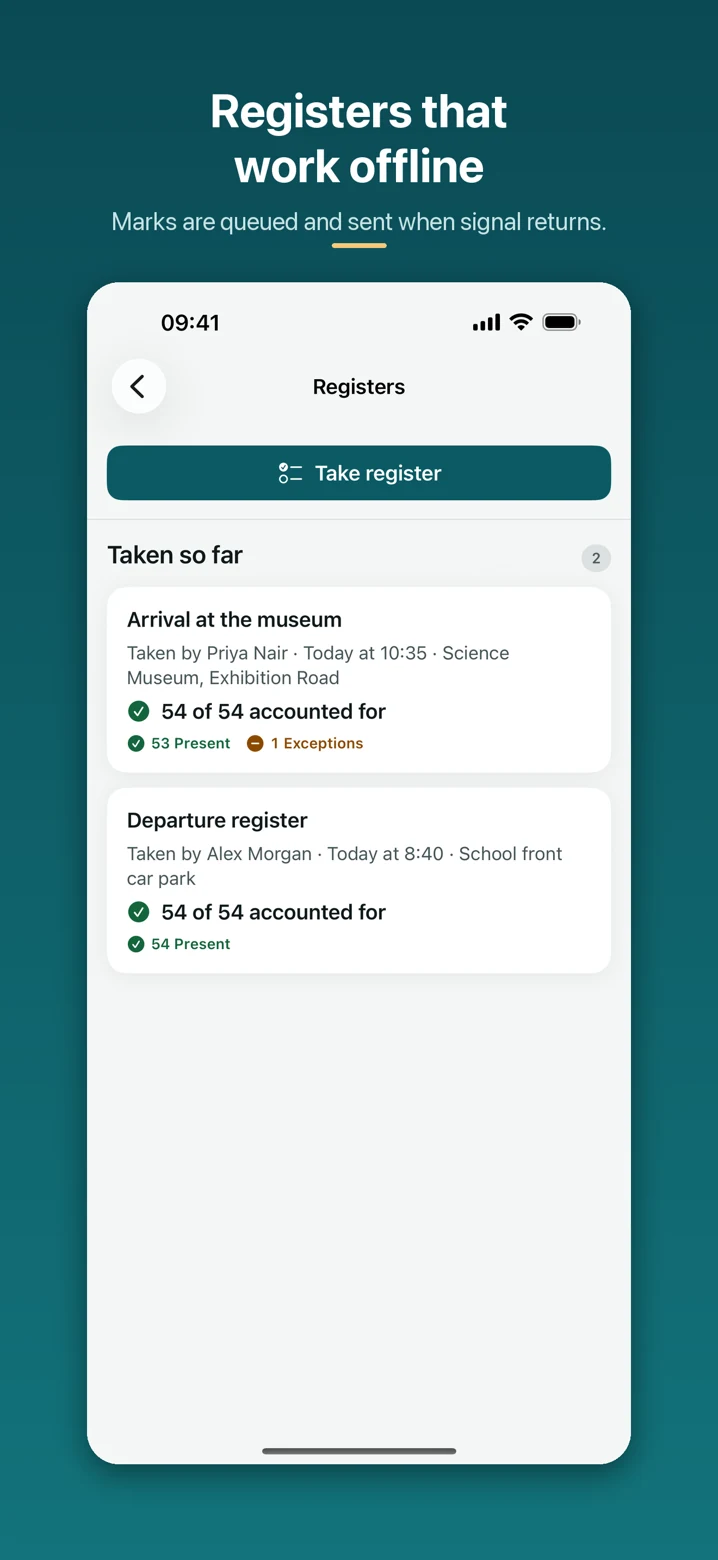
- Download a staff trip before departure; register changes sync when connectivity returns
The app is a companion to the platform rather than a replacement for it. Staff sign in to the same Trip Manager account, so the app and the browser show the same trip information.
The problem
A visit is usually organised across half a dozen places
Not because anyone is disorganised — because a trip is a big piece of administration and the usual tools were never designed for it. Trip Manager gathers the same work into one record.
Spread across systems
What organising a visit often looks like today.
- Paper consent slips handed out, lost and chased
- Pupil, staff and group details re-keyed by hand for every visit
- Parent responses tracked across mailboxes and spreadsheets
- No single view of where a visit sits in the approval process
- Trip information fragmented across emails and attachments
- Registers and emergency information hard to reach away from school
- Staff working from a printout that is already out of date
One professional trip record
What the same visit looks like in Trip Manager.
- Consent requests sent from the trip and tracked against each pupil
- Pupils, staff and groups selected from MIS-connected data where supported
- Parent responses in one place, with what is still outstanding visible
- Ownership and approval history visible on the trip itself
- Trip information, documents and updates attached to the visit
- Registers and key information reachable on mobile during the visit
- A record of the visit that is still there afterwards
How it works
From the first plan to the record you keep afterwards
A shared trip record, with steps matched to the visit’s parent involvement and your school’s settings.
-
Create the educational visit
Choose a trip type, destination and dates, record the operational detail and select whether parents give consent, receive information only, or are not involved.
-
Select pupils, groups and staff
Choose who is going, using supported MIS-connected pupil, staff and group data.
-
Complete the approval workflow
Route the visit through configured approval roles or named groups. Internal visits require approval unless the school has explicitly exempted their trip type.
-
Send information and consent requests
Invite parents and collect consent when required, or share information without a consent form. Internal visits stay within the staff workspace.
-
Run the visit
Use registers and essential trip information during the visit, on mobile where staff need it.
-
Keep the trip record
Keep documents, updates, payments and the trip history together. Review school activity and download reports as CSV, or print and save as PDF.
What it does
Built around how a school actually runs a visit
Plan and approve educational visits
Know what has been approved, by whom, and what still needs attention. Trip Manager turns an educational visit into a single record that moves through the school’s approval process, with ownership and history visible the whole way.
- Create a visit and record the operational detail in one place
- Assign a trip leader and the supporting staff going on the visit
- Select the pupils and groups attending, using MIS-connected data where supported
- See ownership and approval history against the trip record
- Identify what still needs attention before the visit goes ahead

Keep parents informed, and the conversation on the trip record
No paper slips. No hunting through old emails. Parents get one place to see the trips that involve their children, read the information the school has published and respond to what the school has asked for — while parent communication stays attached to the visit it belongs to.
- See the trips relevant to their children and the information published for each
- Provide consent for a visit and respond to requests from the school
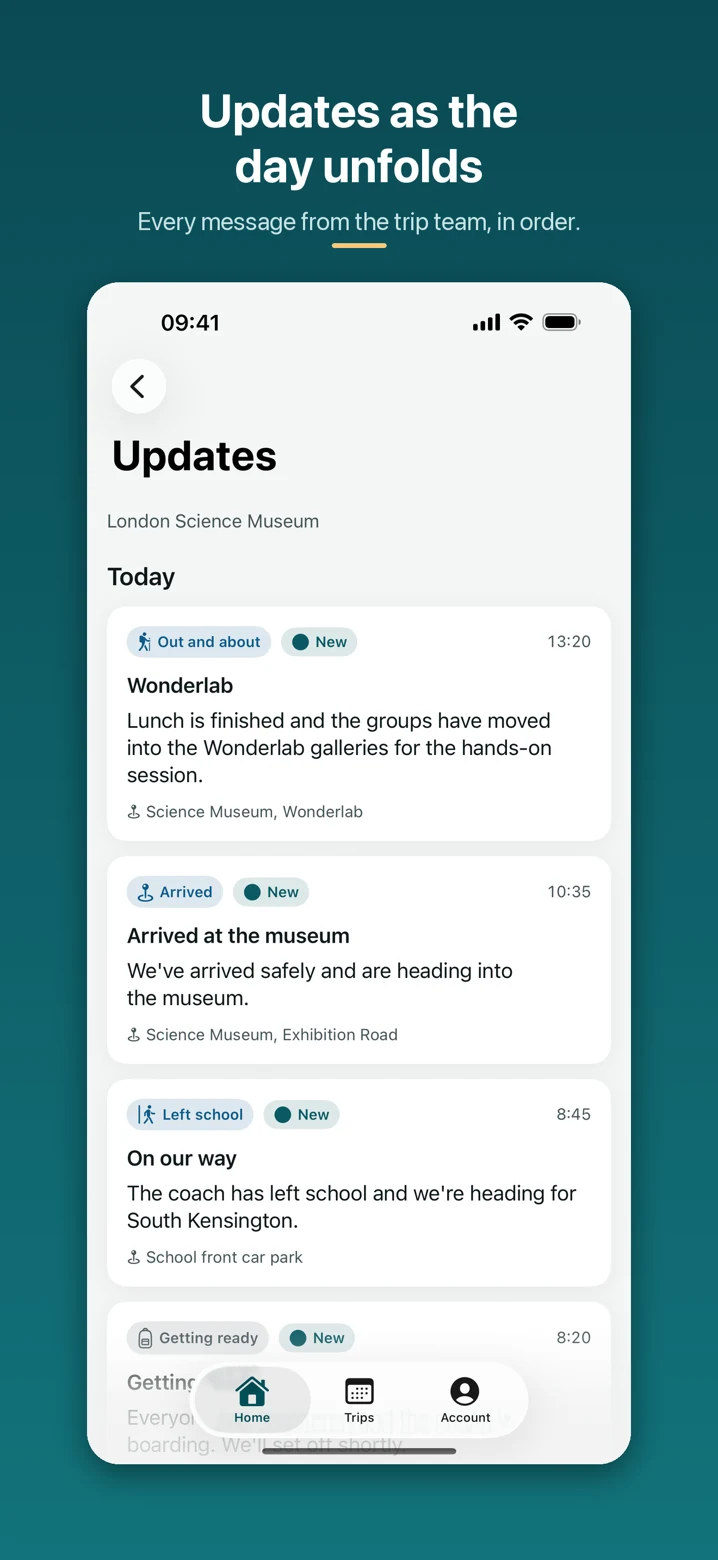
- Receive updates about the visit as the school publishes them
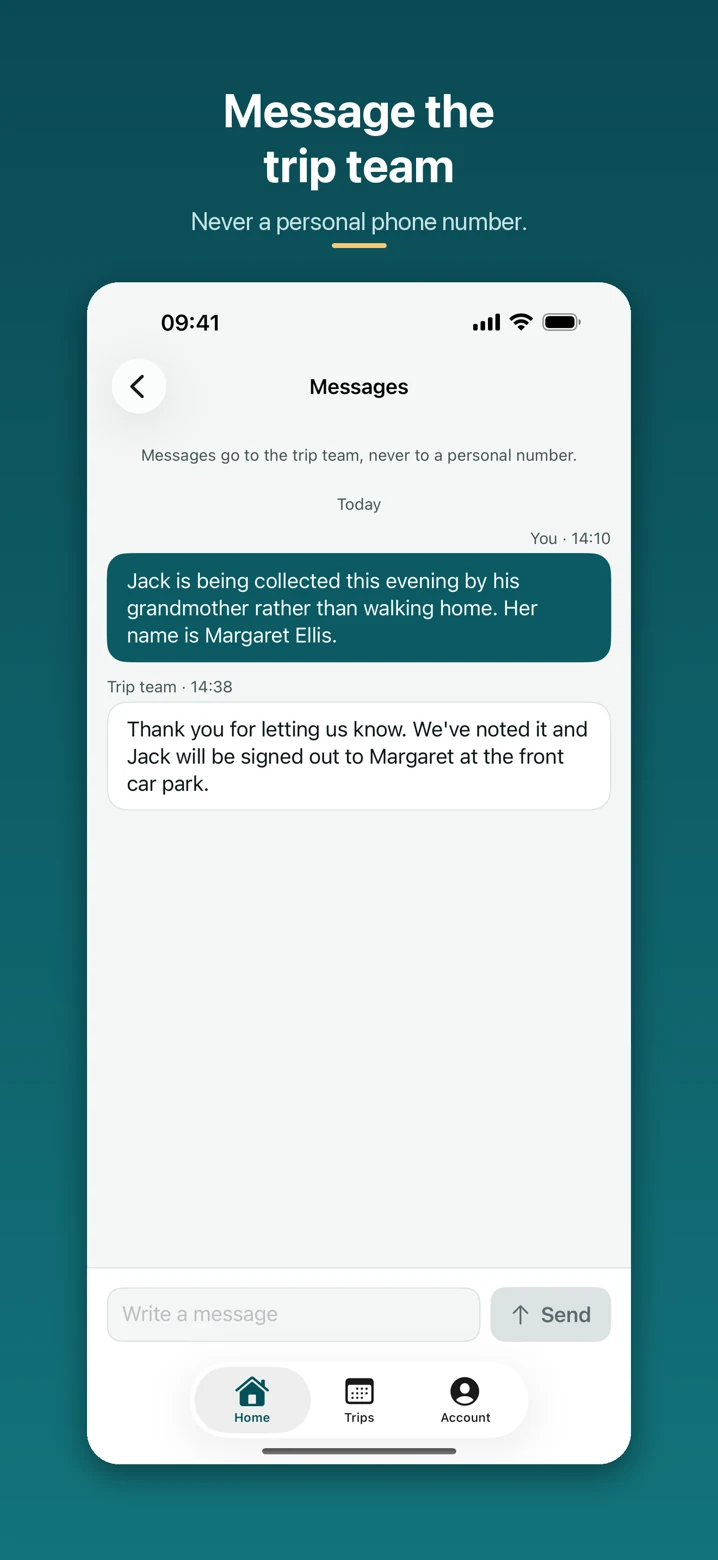
- Message the trip team from the app without using personal phone numbers
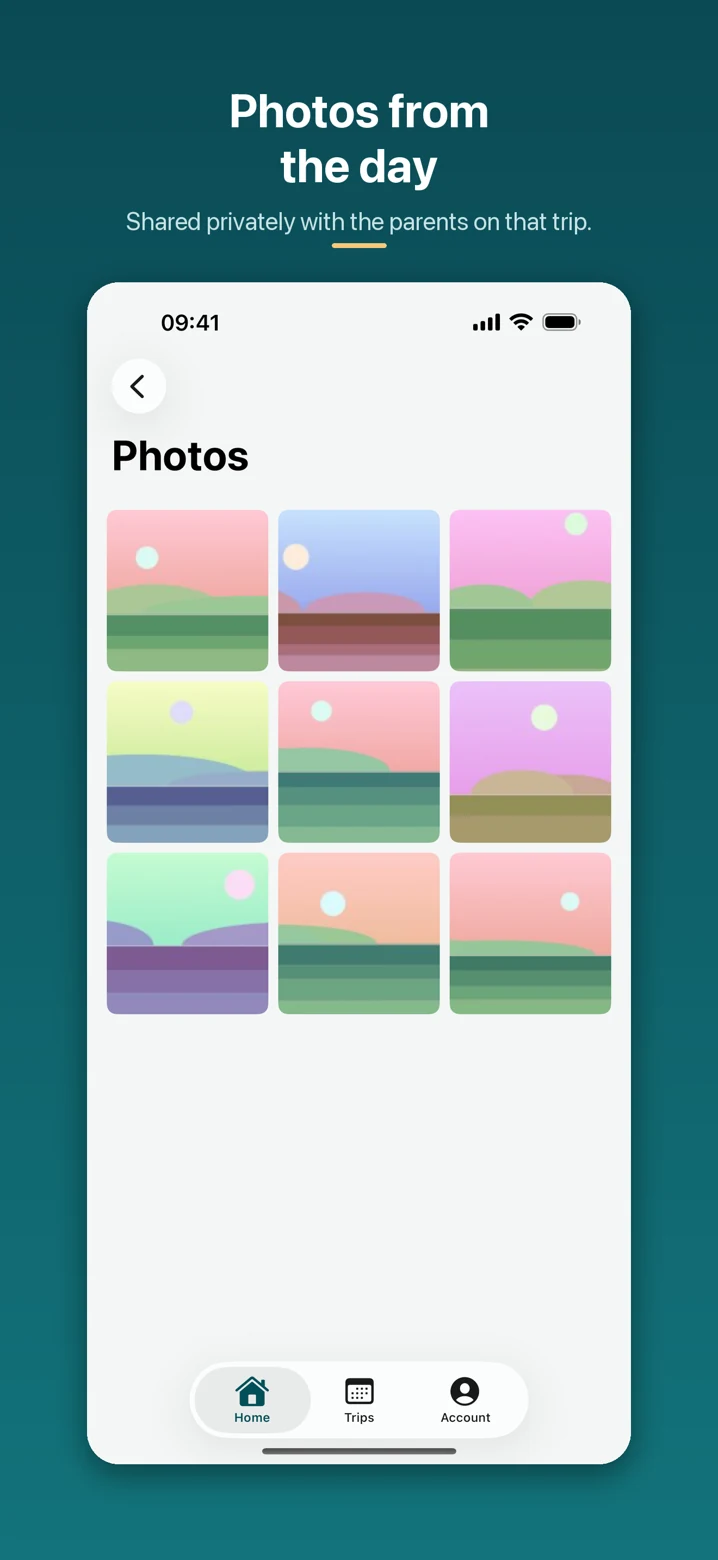
- Share trip photos securely with the parents and families on that visit
Trip Manager doesn’t stop working at the school gates
The information staff need most is the information that is hardest to reach on a coach, in a museum or on a residential. Trip Manager keeps the trip record reachable on mobile, so staff are not depending on a printout made the day before.
- Trip dashboards for the visits a member of staff is on
- Pupil lists and registers for taking and checking attendance
- Staffing and emergency information for the staff who need it
- Communications attached to the trip record
- Download staff trip information before departure for offline access
Core capabilities
Everything a visit needs, in one record
Configured per school, so the platform follows your policies rather than the other way round.
Trip planning and ownership
Create the visit, record the operational detail, assign a trip leader and the supporting staff going with them.
Structured approvals and history
Configure approval roles and named approver groups, with ownership and decision history visible against the trip. Explicit school exemptions can simplify approval for internal trip types.
Digital parent consent
Send trip information and consent requests to the parents of pupils attending, and see what is still outstanding.
MIS-connected pupil and staff data
Bring supported pupils, staff, classes and groups in through Wonde instead of re-keying them for every visit.
Registers and head counts
Take and check attendance during the visit, on mobile, against the pupil list for that trip.
Medical and dietary information
Supported medical and dietary details reach the authorised staff running the visit, with access controlled by role.
Parent updates and communication
Publish updates during the visit and keep parent communication with the trip it belongs to.
Secure trip photo sharing
Share photos with the parents and families associated with that visit. Trip Manager is not a public or social-media sharing tool.
Per-trip audit trails
Actions on a visit are recorded against the trip, so the history of a decision is not reconstructed from memory.
Configurable school features
Features and branding are configured per school, so each school runs the platform the way its policies require.
Role-based staff access
Assigned trip staff receive sign-in access for their visit. School roles and trip assignments still determine which information they can see and what they can do.
Mobile and offline-ready access
Download the staff trip in the iOS app before departure. Access downloaded pupil lists and key information offline; register changes queue and sync when the connection returns.
School reports and exports
Review trips, participation and consent by academic year, term and trip type. Export trips summary, pupil participation, trip finance, incident log and staff reports as CSV, or print and save as PDF.
Payment tracking
Record pupil payments and refunds, manage waivers and see expected, collected and outstanding amounts for charged trips. Payments are recorded against the visit.
Flexible parent involvement
Choose consent required, information only or internal for each visit. Schools can set defaults by trip type; internal visits are not shown to parents.
Lighter internal visits
Use a shorter Details, Pupils and Review setup, with optional cover and staffing steps. Schools decide whether internal trip types need approval and departure or return confirmation.
Trip types and covers
Use built-in visit categories or school-defined trip types, choose an illustrated destination cover and duplicate an existing visit to start another plan.
Risk, incidents and documents
Keep risk assessments, incident records, itinerary and visit documents with the trip. Available sections follow the features enabled for your school.
School-wide reporting
What school trip reports can Trip Manager produce?
Trip Manager provides five school reports: trips summary, pupil participation, trip finance, incident log and staff on trips. Filter by academic year, term and trip type, download CSV files, or open a report to print or save as PDF.
School administrators, EVCs and senior leaders can review headline figures, trips by month and type, and participation by year group. The Needs attention list shows outstanding payments, missing consent, waiting approvals, open incidents and, when enabled, missing risk assessments across the school, independently of the selected filters.
Reports exclude medical details, consent answers, contact details and incident narratives. Pupil participation reports require permission to view named pupils.
Explore the questions schools ask
MIS integration
Connect Trip Manager to your MIS through Wonde
Already using a school MIS supported by Wonde? Trip Manager connects through Wonde, so your school does not need to re-key supported pupil, staff and group data by hand.
School MIS
The system your school already maintains.
Wonde
A secure connection route between schools and approved applications.
Trip Manager
Pupils, staff and groups, already there.
One route, not one integration per MIS
Wonde provides a secure connection between schools and approved third-party applications. Trip Manager uses that single route rather than building a separate direct integration for each MIS, so the school manages the connection and its permissions in one place.
Confirm your own MIS, supported fields and school permissions with Education Host during a demonstration.
What can synchronise
Where supported by the MIS and approved by the school:
- Pupils and staff
- Classes, year groups and registration groups
- Medical information
- Dietary information
- Parent or contact information where available
Supported MIS availability is determined by Wonde and may change over time. Data availability also depends on the school’s approved permissions and the capabilities of its MIS — not every MIS exposes every field.

Companion iOS app
An iPhone app for parents and trip staff
The Trip Manager iOS app serves parents and the staff leading the visit. Parents can see what needs attention, review trip details, give consent, read updates, view shared photos and message the trip team.
Staff sign in to the same Trip Manager account and see the visits they are on, so the app and the browser show the same trip information.
- Parent home with outstanding actions and upcoming trips
- Consent, trip details and recorded payment status
- Published updates, private photos and messages to the trip team
- Staff access to assigned visits, pupil lists and registers
- Download before departure for offline staff trip information
- Queued register changes sync when connectivity returns
Ask the team about current app availability and distribution for your school’s parents and staff.
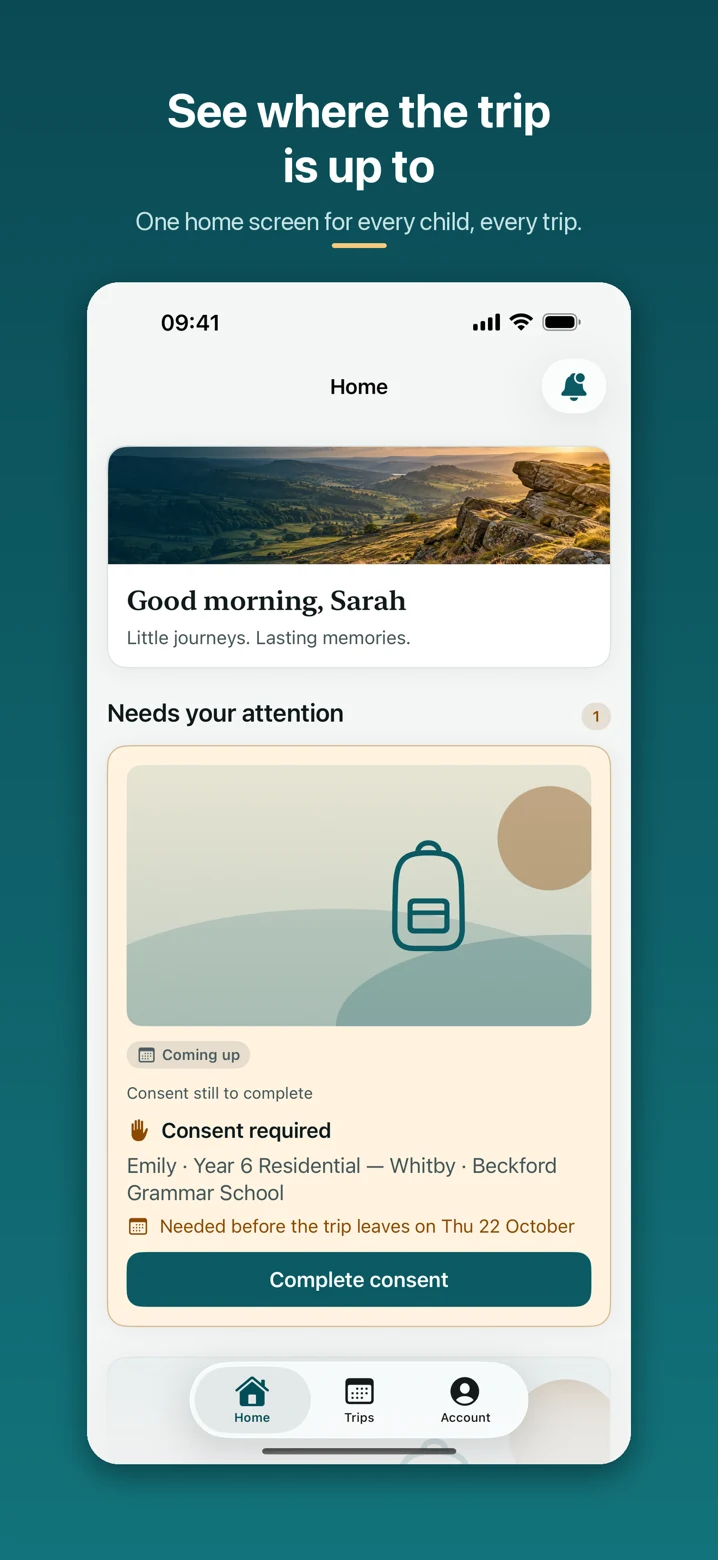
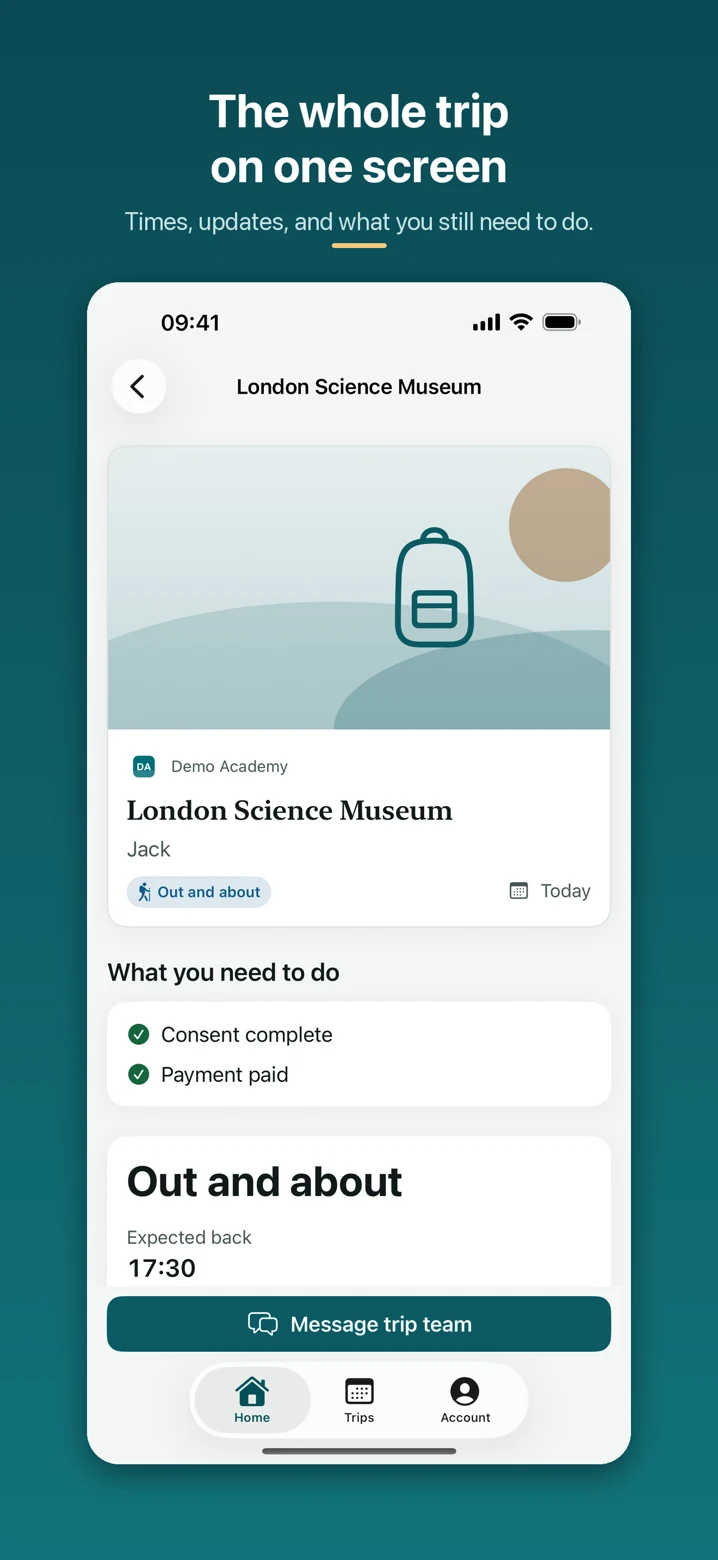
Current iOS marketing screenshots supplied on 11 October 2026. Demonstration data.
From consent to the journey home
Parents have one place for the information and conversations about their child’s visit. Staff have their assigned trips ready to open.
Who it’s for
Who Trip Manager is for
One platform, with a view that matches the job each person is doing.
Educational Visits Coordinators
See every visit, where it sits in the approval process and what still needs attention — in one place rather than across documents and mailboxes.
Senior leaders
Oversight of educational visits, approvals and outstanding actions without chasing individual staff for updates.
Trip leaders
The pupil list, register, staffing and key trip information for their visit, reachable on mobile away from school.
School operations teams
Planning detail, staffing and communications attached to the visit they belong to, so a trip can be picked up by whoever needs it.
School administrators
Less re-keying of pupil, staff and group data, and fewer paper consent slips to hand out, collect and chase.
Parents
One place to see the trips involving their children, read the trip information and give consent.
Security and access
Built for schools, with security at the core
Trip Manager holds pupil information, including supported medical and dietary data, so access is controlled by role and the MIS connection is handled by the Trip Manager backend rather than by the browser.
How access is controlled
- Multi-tenant architecture with school-data isolation
- Role-based access controls across staff roles
- Controlled access to sensitive medical information
- Audit trails
- Passwordless parent access where appropriate
How the data moves
- Encrypted integration credentials
- No MIS token exposed to the browser
- Secure backend-to-Wonde communication
- HTTPS in transit
- Photo sharing limited to the families on that visit
No new staff password to remember
Staff can sign in with an existing Microsoft work account through Microsoft Entra ID. Trip Manager then applies its own roles and permissions, so signing in with a school account does not by itself grant access to every visit or every pupil record.
Sensitive information, handled deliberately
Supported medical and dietary details reach the authorised staff running a visit and are not shared more widely than they need to be. Security, data-handling and access arrangements are confirmed in writing during onboarding.
Trip Manager supports the administration of educational visits. It does not replace a school’s safeguarding, risk-assessment, emergency or educational-visits procedures, and it does not make a visit compliant or safe — the school’s own policy, risk assessments and approval standards still apply.
Every kind of visit
One platform for every educational visit
The same trip record works whether the visit is an afternoon at a museum or a week abroad. Choose consent required, information only or internal parent involvement, with school-defined trip types and a lighter setup for routine internal visits.
- Museum visits
- Theatre trips
- Residentials
- Sports trips
- University visits
- Fieldwork
- International trips
- Enrichment activities
Questions
Trip Manager — frequently asked questions
Trip Manager by Education Host is school trip management software for UK schools. The browser platform brings planning, configurable approvals, pupil and staff selection, parent consent, payment tracking, registers, documents, communications and school reports together. Supported school data connects through Wonde. A companion iOS app serves parents and assigned trip staff.
Trip Manager is for UK schools — specifically Educational Visits Coordinators, senior leaders, trip leaders, school operations teams and school administrators, with a parent view for the families of pupils attending a visit.
Trip Manager has a browser-based school platform and a companion iOS app. Schools plan, approve and administer visits and review reports on the web. Parents use the app to give consent, read updates, view shared photos and message the trip team. Assigned staff use it for pupil lists, registers and downloaded trip information.
School trip management software replaces the paper slips, spreadsheets and mailboxes normally used to organise an educational visit. In Trip Manager, one trip record holds the planning detail, the pupils and staff attending, the approval history, parent consent responses, registers taken on the day, and the communications sent about the visit.
Yes. For visits requiring consent, schools publish a consent form and invite parents to respond online. Responses are tracked against each pupil. Schools can also choose information only, which shares the visit without requesting consent, or internal, which keeps the visit in the staff workspace.
Yes. Trip Manager connects to Wonde-supported MIS platforms through Wonde, so supported pupil, staff and group data does not have to be re-keyed for each visit. What is available depends on your MIS and the permissions your school has approved.
No. Trip Manager does not build a separate direct integration for each MIS. MIS connectivity is provided through Wonde, which acts as the single secure connection route between the school’s MIS and Trip Manager.
Trip Manager connects to Wonde-supported school MIS platforms through Wonde. Confirm support for your own MIS, the available fields and your school’s permissions during a demonstration; availability is determined by Wonde.
Where supported by the MIS and approved by the school, Trip Manager can synchronise pupils, staff, classes, year groups, registration groups, medical information, dietary information, and parent or contact information where available. Not every MIS exposes every field.
Yes. Staff assigned to a visit can take and check attendance against the pupil list for that trip, on mobile, using the companion iOS app or a browser.
Yes. Assigned staff can download a trip in the iOS app before departure and use the downloaded pupil list, key trip information and registers offline. Register changes are queued and sync when connectivity returns. Publishing updates and uploading photos need a connection before they reach parents.
Yes. The companion iOS app serves parents and staff. Parents can review trips, complete consent, read updates, view shared photos and message the trip team. Assigned staff can open their visits, download trip information and take registers. Ask Education Host about current availability and distribution.
Yes. Staff can sign in to Trip Manager with an existing Microsoft work account through Microsoft Entra ID, so there is no separate staff password to remember. Trip Manager then applies its own roles and permissions.
Access is controlled by role. Staff roles determine which visits and which pupil information each person can reach, and signing in with a school account does not by itself grant access to every visit or every pupil record. Parents see only the visits involving their own children.
Supported medical conditions and dietary requirements can be brought into Trip Manager from the school’s MIS through Wonde, and access is controlled by role so the information reaches the authorised staff running the visit. Availability depends on the data your school has approved and the capabilities of your MIS.
Trip Manager is multi-tenant by design: each school is configured, branded and permissioned separately, with school-data isolation between them. Multi-school and trust requirements can be discussed as part of a consultation with Education Host.
No. Trip Manager supports the administration of educational visits — planning, approval, consent, registers and communication. The school’s own educational visits policy, risk assessments, safeguarding arrangements and emergency procedures still apply.
Book a Trip Manager demo with Education Host to see planning, configurable approvals, parent involvement, registers, payment tracking, school reports, Wonde connectivity and the iOS app for parents and staff. Pricing and rollout are discussed for your school, with multi-school and trust requirements covered during the consultation.
Yes. Each trip can use consent required, information only or internal parent involvement. Information-only visits share details without a consent form; internal visits remain staff-only. Schools set defaults by trip type and record the reason when consent is not requested. These settings support the school’s policy; they do not decide whether consent is legally or operationally required.
Yes. Schools can add their own trip types and configure approval roles and named approver groups. For internal visits, school administrators can explicitly exempt selected trip types from approval and choose optional cover, staff, departure and return steps. Existing internal trips retain the workflow settings saved when they were created.
Trip Manager provides trips summary, pupil participation, trip finance, incident log and staff on trips reports. Filter by academic year, term and trip type; download CSV, or print and save as PDF. The overview includes trips by month and type, participation by year group and a school-wide Needs attention list. Pupil-level reporting is restricted to authorised school roles.
Trip Manager tracks payments; schools collect money through their existing payment arrangements. Staff record payments and refunds, manage waivers and review outstanding balances. Parents can check recorded payment status. The iOS app does not take payments or provide a checkout.
Yes. Parents can see visits involving their children, complete consent when requested, check trip information and recorded payment status, read published updates, view shared photos and message the trip team. Parents sign in through the school’s access arrangements; the app does not show other families’ trips.
Yes. Adding school staff to a trip gives them the sign-in access needed for that visit. Trip Manager still checks their school role and trip assignment, so assignment does not grant access to every school trip or every pupil record.
See how Trip Manager could work for your school
Walk through planning, configurable approvals, parent consent, payment tracking, registers, school reports, Wonde connectivity and the iOS app for parents and staff with the team that builds and supports the platform.
Choose a suitable time using Microsoft Bookings.